
Listen: Music Player for GNOME with Lyrics, Last.fm
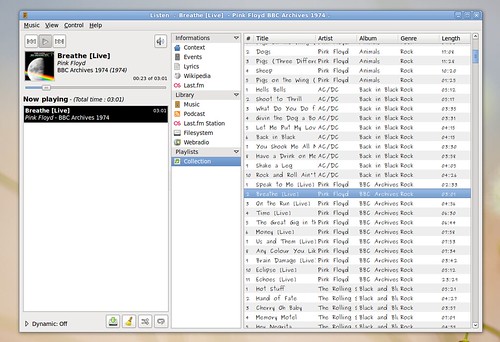
GNOME has many audio player like Banshee,Exaile or Rhythmbox .But Listen provides a direct access to lyrics, lastfm and wikipedia informations.Listen is fastest audio player in GNOME .

Features of Listen :
- Listen is written in Python using the GTK toolkit
- It has simple and well maintained interface
- Listen offers drag-and-drop support, and besides the usual sorting.
- The playlist font can also be changed. One of the minuses is that the playlist cannot be sorted by full path or filename.
- Last.fm song submission
- support for podcasts
- Internet radio
- OSD (on-screen display)
- Wikipedia info and lyrics fetching
- upcoming concerts
- cover fetching (either from the local directory or from Amazon.com)
- tags lookup, tag editing
- support for plugins
- song queue, system tray integration, visualizations.

The library is divided into five sections :
- Music, which will show available artists and albums
- Podcast, for managing and listening to podcasts
- Last.fm Station, allowing you to listen to Last.fm radio
- Filesystem, a file browser
- Webradio, a collection of Internet radio stations
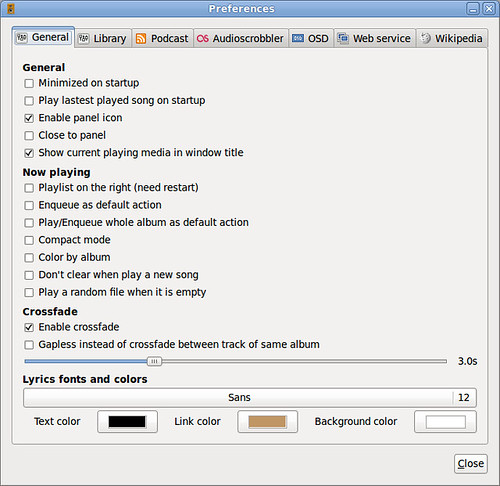
Most interesting option is the ability to set custom web service filters, which will be skipped when performing web queries. For example, you can add here information which you don’t want to be searched for, like cd 1, cd 2 etc.Listen also provides no fewer than four view modes: small, normal, full display and party mode, and the latter is practically a fullscreen mode.Listen comes with many useful default plugins ,but some regarding plugins are required:
– a 10-band equalizer
– PidginStatus, which will show the song you’re listening to as your Pidgin status message
– a visualization plugin
– Last.fm events, to retrieve upcoming concerts for a band from Last.fm
– Jamendo and Magnatune integration
Installation in Ubuntu 9.10 Karmic Koala
There is a PPA available for the latest Listen release, and to use it add the following two lines inside your /etc/apt/sources list file:
deb http://ppa.launchpad.net/listen-devel/ppa/ubuntu karmic main deb-src http://ppa.launchpad.net/listen-devel/ppa/ubuntu karmic main
Next, add the trusted key for this PPA:
sudo apt-key adv --keyserver keyserver.ubuntu.com --recv-keys AA832887
Update the packages list:
sudo apt-get update
And install Listen:
sudo apt-get install listen
