
Author Archives: Rohit Langde
Rohit Langde is Founder and Editor-in-chief of Blogsolute. Tech Blogger by Passion & Profession | Mechanical Engineer by Qualification | Introverted Geek by Choice

Author Archives: Rohit Langde
Rohit Langde is Founder and Editor-in-chief of Blogsolute. Tech Blogger by Passion & Profession | Mechanical Engineer by Qualification | Introverted Geek by Choice

I think many of you will choose Blogger.com as a platform and we will go further with it. So, we start from step 1- Go to Blogger.com which is obvious and click on Create Blog. The next step is create a Google Account. As we saw in the previous post, Blogger is owned by Google. […]
Continue reading
Choosing Platform for blogging like selecting a notebook or Diary. You can write in both cases but they do differ slightly in features. As I said in Beginner’s Blogging guide – 1, I am going to consider whether Blogger or WordPress.com? It all depends upon your requirements, Choose which system you feel most comfortable and […]
Continue reading
Many of you may be interested in writing your own blog. Blogging has gained more popularity (especially in India) since when celebrities started creating own blogs. Let it be any reason behind it but many of readers asked me to guide on starting a new blog and so, for all beginners willing to join blogosphere, […]
Continue reading
For those who work on images, create designs and other beautiful arts, it is often difficult to show their work in one place especially if we design the site from scratch. But luckily there are designers who arrange such Templates and may even solve the problem.
Continue reading
Most of the internet users prefer using Google talk as default chat client. Changing its appearance can enhance you chatting experience and it can be done using Gtalk themes. If you are bored with default look, mix some colors and change chatting styles and chat windows interface with cool,funny and fantastic Google Talk themes.
Continue reading
Google Talk or gTalk chat application has a feature to show currently playing Music track on Windows Media player as you Status. On Windows Xp, it runs without problem but even since I upgraded to Windows 7, GTalk doesn’t update status on change of Music track on Windows Media Player 12.
Continue reading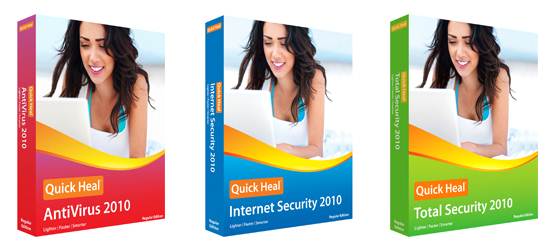
Quick Heal has lately came up with their new version 2010 with Windows 7 Compatibility. New Tag line of Quick Heal 2010 products says Lighter, Faster and Simpler. I would also like to add cheaper because you can get Antivirus for just 25$ which is roughly Rs. 1099
Continue reading
Although, it cannot gather as much user as Facebook but Twitter is becoming a handy tool for communication for both professionals and users interested in seeking information. If you are not on twitter, we present 10 reasons in the form of uses or applications you can use to hook up on most popular microblogging service […]
Continue reading